What's Up In - Web App
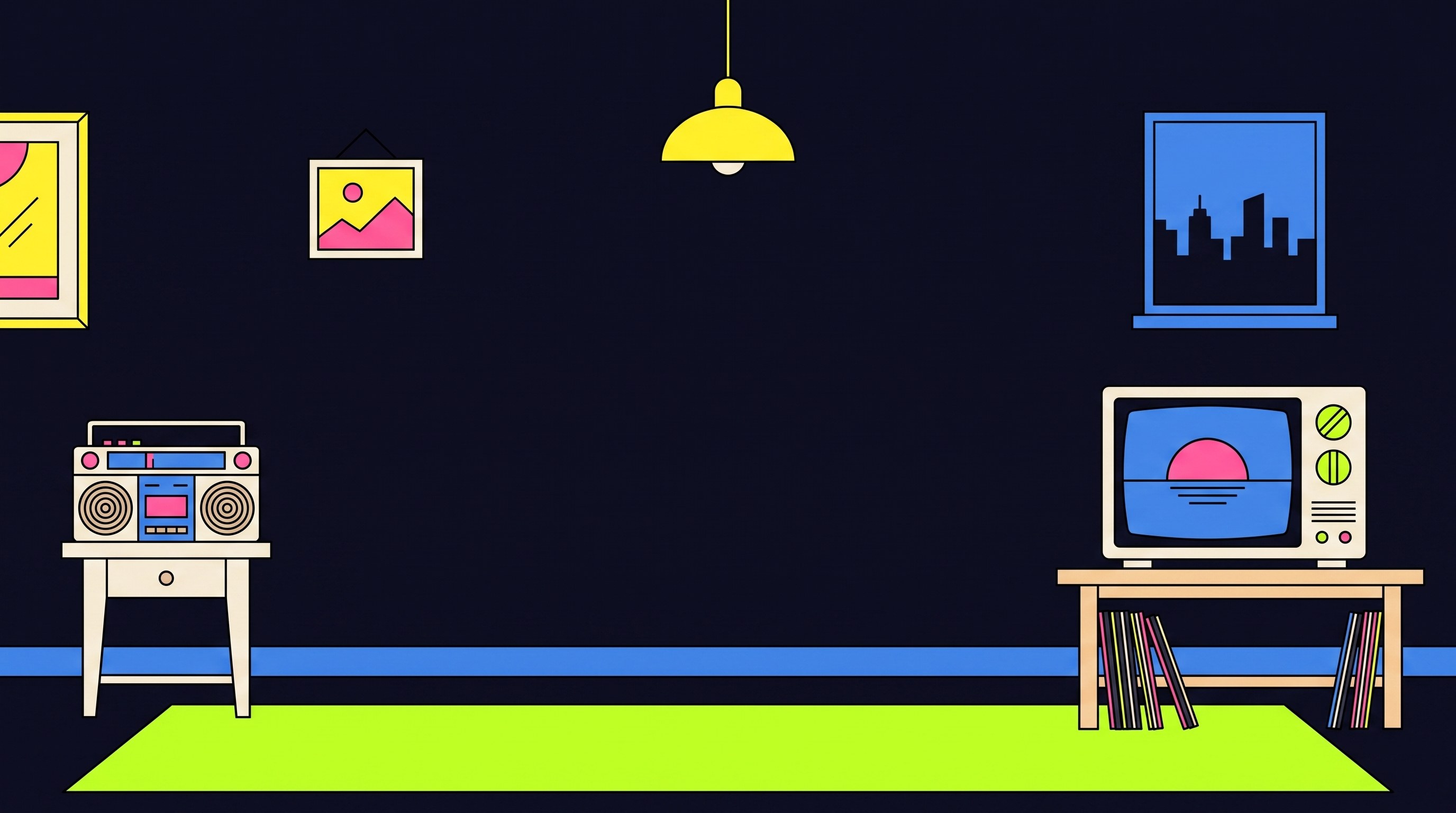
What's Up In started as a print zine, but I didn't want the website to just be another gallery of screenshots. So I built the homepage as an actual room you can walk into. There's a bookshelf holding every city issue, a radio you can click to play the actual playlist I made while shooting Toronto, a TV looping raw footage from the shoot, and a corkboard pinned with behind-the-scenes notes.
Everything on the shelf reacts. Books tilt out when you hover, the lamp flickers like it's actually switched on, and pulling a book off the shelf is how you get into the zine itself. I illustrated the whole room from scratch and built the site on top of it with plain HTML, CSS, and JavaScript.
This isn't a screen recording or a Figma click-through. It's the real, live site, so what's embedded below is exactly what a visitor sees when they land on the homepage.
Working
Website
No screenshots. No video walk-throughs.
The real site, running live below.
Reflection
This was the first time I built a full site around one illustration instead of a grid of sections. Getting the props (the radio, the TV, the lamp) to stay lined up on top of the room art across every screen size turned into its own small puzzle, and I ended up learning a lot about how to lock a background to its real aspect ratio so nothing drifts. It pushed me past just designing screens and into actually building the thing that runs in the browser, end to end.